


City Patrol : Rescue Vehicles
3.526.00 Reviews
App Specs
- Version
- 2.3.5
- Updated On
- License
- Free
- Downloads
- 50,000,000+
- Developer
- Edugamus
- Categories
- Educational
- Platform
- Android, iOS
Screenshots
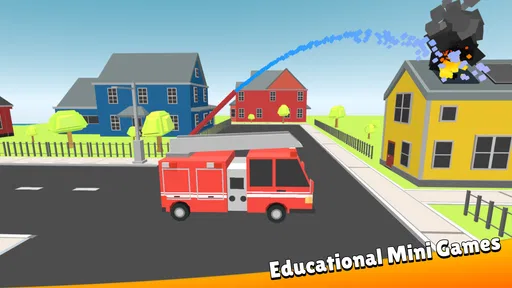
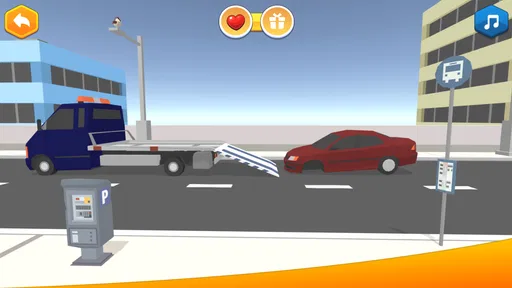
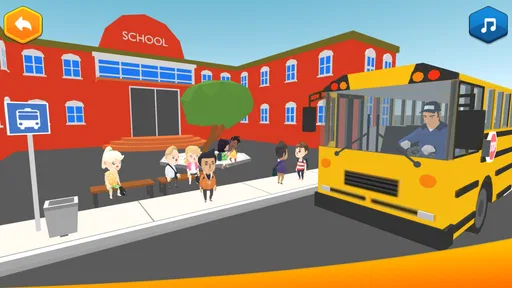
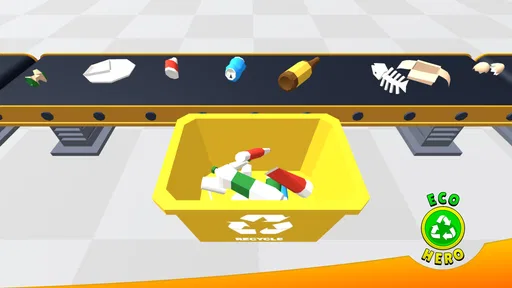
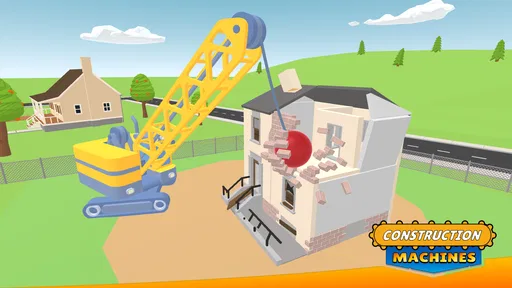
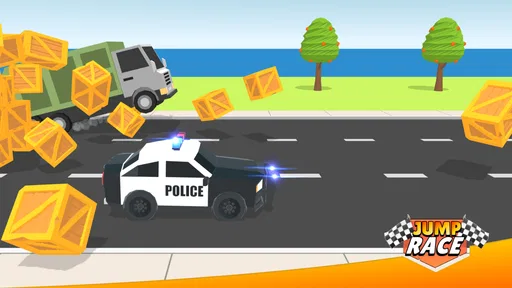
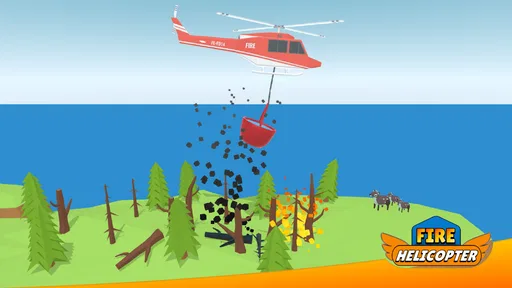
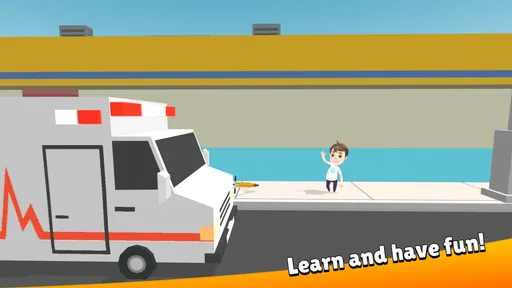
 Analysis by AppCompare
I went into City Patrol: Rescue Vehicles expecting a light game about emergency vehicles, but the part that makes it interesting is the way it asks you to think about responding, not just driving. That distinction matters if you are choosing something for a child: it can give play a little structure and invite conversations about what different service vehicles do. I would treat it as an educational game with an action-flavoured presentation, rather than as a detailed emergency-services simulator.
Who will get the most from it
I can see this working best for children who already notice fire engines, ambulances, and police cars and want to play around those familiar ideas. It gives an adult an easy starting point for asking questions such as why a particular vehicle might be needed or why a response should be planned. The game can support that kind of conversation, but I would not rely on it alone to teach real emergency procedures; its purpose is entertainment and introductory learning, not practical training.
It also suits short, supervised play sessions when a child wants something more purposeful than simply watching clips of vehicles. A parent can let the child make choices, then ask them to explain what they would send and why. That small pause turns the game into a shared activity instead of a screen-time distraction. If the child mainly wants fast racing, open-ended exploration, or a complex management challenge, though, this is probably not the right fit.
Where expectations can trip you up
The title and emergency theme may suggest a full dispatch simulator, but I would keep expectations modest. Its appeal is the child-friendly premise and the chance to think about different responses; it is not a substitute for a realistic map, professional dispatch tools, or a lesson in how emergency services operate. Families looking for a broader educational package covering many subjects may prefer a general learning app, while children who want vehicle play specifically may find this focused theme more appealing.
There is also a useful distinction between an educational game and a classroom resource. I would use it as a prompt for curiosity, not as proof that a child has learned a specific safety skill. When a scenario raises a real-world question, answer it in simple terms outside the game rather than assuming the game explains every detail. That keeps the activity grounded without asking a child-friendly game to do more than it is designed for.
A practical way to try it together
For a first session, I would sit nearby and let the child explore at their own pace. Instead of taking over, ask them to describe the problem they think they are responding to and what they expect the vehicle to do. If they seem unsure, make one suggestion and let them choose the next step. This approach is more useful than turning the session into a quiz, and it helps you see whether the game’s decisions are genuinely engaging them.
A realistic moment might be a child spotting a rescue vehicle on the way home and later wanting to play a related game. You can use that interest for a brief session, talk about how vehicles have different jobs, and stop when attention fades. Short sessions are particularly sensible for younger children: the aim is a pleasant, understandable activity, not pushing through every mission in one sitting.
Worth Reading Before You Choose

Flipboard Shows What News Apps Must Do Beyond the Feed

Switching to Android Auto Means Rethinking Your Driving Routine

Google Calendar Makes a Crowded Week Easier to Manage

Ludo King Makes the Most of the Minutes Between Plans

Baby Panda World Brings Quick Play to Modern Phones, but Its Game Library Feels Busy

ESPN’s Live Game View Makes Following Close Games Easier
Setup and recovery without guesswork
If the game does not open smoothly, I would start with the basics rather than assume the game itself is broken: check that the device meets its Android minimum of version 7.0, close and reopen the app, and make sure the device has enough free space for ordinary app use. If a child is switching between apps or the device is under heavy load, a fresh launch may help. These are general troubleshooting steps, not guarantees, but they are sensible first checks before changing settings or reinstalling.
If progress or a session seems interrupted, first give the game a moment to finish loading and check whether the device is still responding elsewhere. Then reopen it and see whether the issue repeats in the same place. I would avoid repeatedly tapping through a frozen screen, since that can make it harder to tell whether the game has recovered. If the problem persists, note what was happening just before it appeared and consult the app’s support route through the store rather than trying risky workarounds.
What the numbers and cost mean in practice
Edugamus makes this free to download, while optional in-app purchases are listed at $1.99 to $3.99 per item. For a child’s device, I would check purchase controls before handing it over, especially if the child can access the device’s store account. That is a general family-device precaution, not a claim about a particular purchase flow in this game. The game is rated for Everyone, which is reassuring for its intended broad audience, though that rating does not replace a parent’s judgment about screen time or individual preferences.
It has a 3.9 average from around 11,000 ratings and has passed 10 million installs. I read those figures as evidence that it has reached a wide audience, not as a guarantee that every child will enjoy it. The 23 written reviews are a much smaller set than the ratings, so I would make the decision based on the child’s interest in rescue vehicles and the actual feel of a short play session. Version 2.3.0 is the current release, and the game was released on March 4, 2022.
Compared with a racing game, this puts more emphasis on the purpose of the vehicle than on competition. Compared with a general educational app, it is narrower and more immediately tied to one theme. That focus is a strength for a child who loves emergency vehicles, but a limitation if you want broad subject coverage or a long-term learning plan. The best test is simple: try a brief session together and see whether the child is making choices and asking questions, rather than only tapping to move on.
Hey there! So, guess what I’ve been up to lately? I’ve been diving into the world of City Patrol: Rescue Vehicles, and let me tell you, it's been quite the ride. If you're into action-packed games with a twist of strategy, you might just want to buckle up and check this one out.
First Impressions
When I first fired up City Patrol: Rescue Vehicles, I was immediately drawn in by the vibrant graphics. The game has this sleek, polished look that makes everything pop. The design is intuitive, so even if you’re not a hardcore gamer, you’ll find your way around pretty easily. What really caught my eye was how detailed the cityscape is. It’s almost like you’re navigating through a real city, and the attention to detail is just impressive.
Gameplay and Features
The core of the game revolves around managing and deploying rescue vehicles to respond to emergencies around the city. You get to play as the chief of a rescue squad, and let me tell you, it’s as intense as it sounds! You’ll be juggling between fire trucks, ambulances, and police cars, each with their unique capabilities.
One of the features I really dig is the strategic element. It’s not just about speed; you need to plan your routes and manage resources efficiently. There’s a real-time aspect that keeps you on your toes. You’ll find yourself making split-second decisions, which adds a layer of excitement and unpredictability.
Challenges and Missions
The missions are varied and keep the game feeling fresh. From rescuing people from fires to handling traffic accidents, each scenario offers a different challenge. As you progress, the missions get more complex, requiring you to think ahead and strategize. The game does a great job of gradually increasing the difficulty, so you’re constantly improving your skills.
What’s cool is how the game incorporates environmental factors. You’ll need to consider weather conditions and time of day, which can impact your rescue efforts. It adds an extra layer of realism that I find pretty engaging.
Sound and Music
Alright, let’s talk about the sound design. The background music is upbeat and keeps you pumped, but it’s not overpowering. The sound effects, from the blaring sirens to the bustle of the city, immerse you in the game. It really enhances the overall experience and makes you feel like you’re part of the action.
Learning Curve
Now, if you’re worried about the learning curve, fear not. The game does a great job of easing you in with a tutorial that covers the basics. It’s straightforward enough for beginners but still offers depth for those looking for a challenge. You’ll be zipping through the city like a pro in no time.
Final Thoughts
So, is City Patrol: Rescue Vehicles worth your time? Absolutely! It’s a fun, engaging game that offers the perfect blend of action and strategy. Whether you’re a casual gamer or someone who loves a bit of a challenge, there’s something here for you. The game keeps you coming back for more, as you strive to improve your skills and tackle tougher missions.
In the end, if you’re looking for a game that’s not only entertaining but also tests your strategic thinking, give City Patrol: Rescue Vehicles a whirl. You won’t be disappointed!
Pros
- Intuitive controls make gameplay accessible.
- Vibrant graphics enhance the gaming experience.
- Diverse missions keep gameplay engaging.
- Frequent updates add new vehicles and features.
- Multiplayer mode offers competitive fun.
Cons
- In-app purchases can be costly.
- Requires persistent internet connection.
- Some levels feel repetitive.
- Occasional lag on older devices.
- Ads can interrupt gameplay.
FAQs for City Patrol : Rescue Vehicles
What is the main objective of City Patrol: Rescue Vehicles?
City Patrol: Rescue Vehicles is a simulation game where players take on the role of emergency responders managing a fleet of rescue vehicles. The main objective is to respond to various emergencies around the city, including fires, accidents, and medical emergencies, ensuring the safety of citizens and maintaining city order.
What types of vehicles can players operate in the game?
Players can operate a variety of emergency vehicles, including fire trucks, ambulances, and police cars. Each vehicle is designed with realistic controls and functionalities, allowing players to experience different aspects of emergency response and management during gameplay.
Is City Patrol: Rescue Vehicles suitable for all ages?
The game is generally suitable for players of all ages, but it is particularly engaging for those interested in simulation games and emergency response scenarios. It promotes strategic thinking and quick decision-making, making it an educational yet entertaining experience for younger audiences.
Are there in-app purchases in City Patrol: Rescue Vehicles?
Yes, City Patrol: Rescue Vehicles offers in-app purchases. Players can enhance their gameplay experience by purchasing upgrades for vehicles or unlocking additional missions. While these purchases can enhance the experience, they are not necessary to enjoy the core gameplay.
Does City Patrol: Rescue Vehicles require an internet connection to play?
City Patrol: Rescue Vehicles can be played offline, allowing users to enjoy the game without a constant internet connection. However, certain features, like leaderboards or in-app purchases, may require an internet connection to function properly.


